
How to charge at our Makumbura station
Charging here runs on the ChargeNET network, so it all happens through the chargeNET Plus app. First time with an EV charger? Here's exactly what to do, start to finish.
The full charging guide, step by step
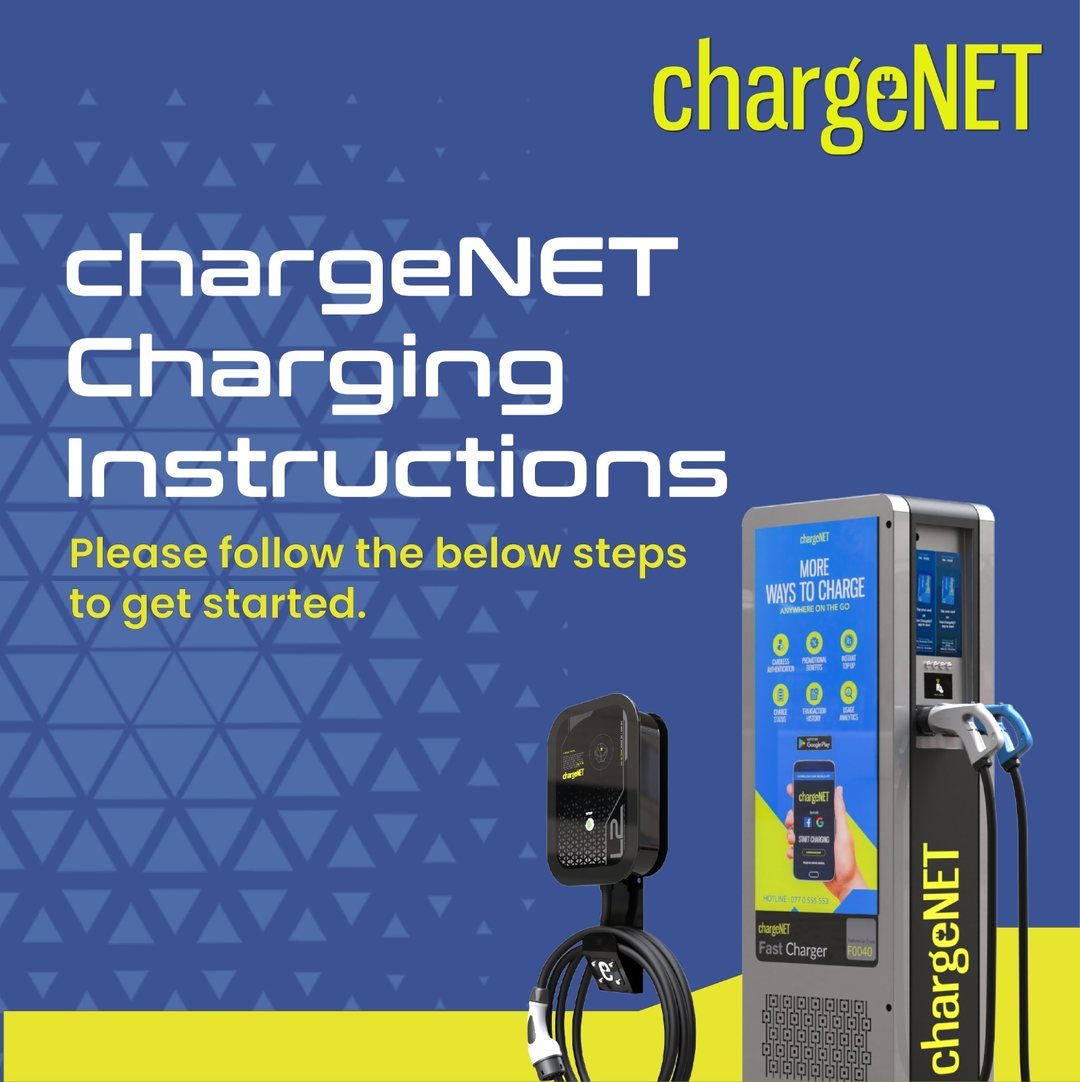
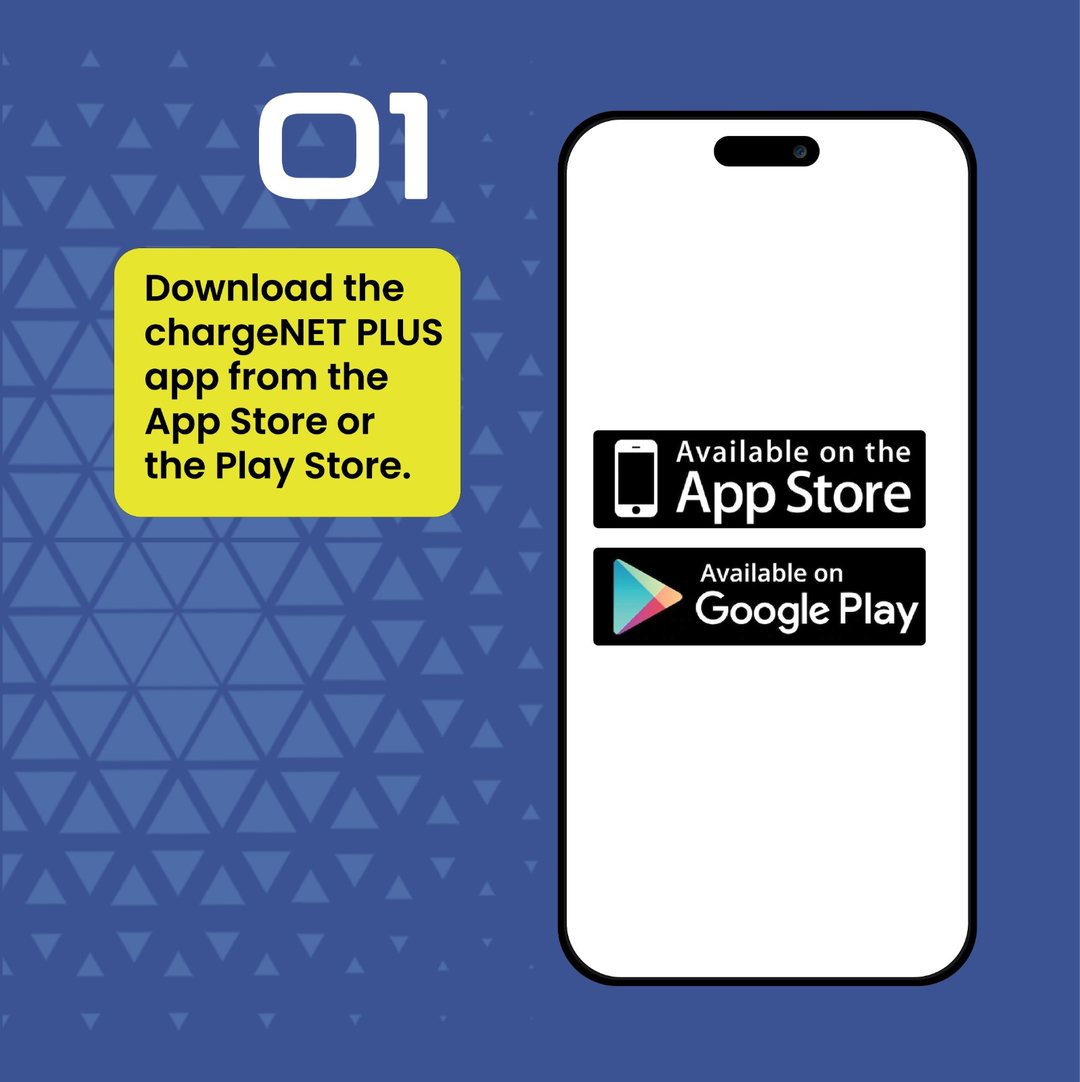
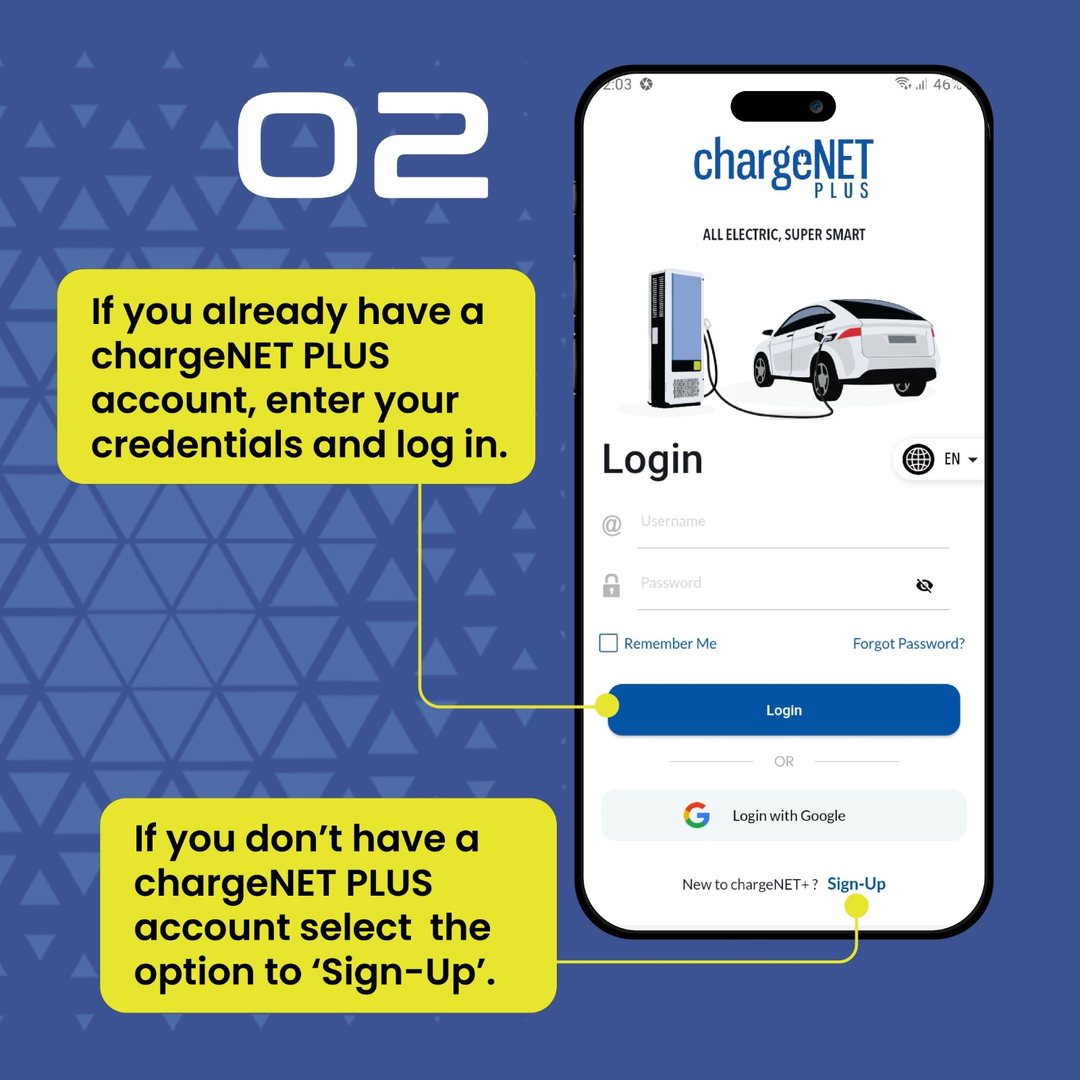
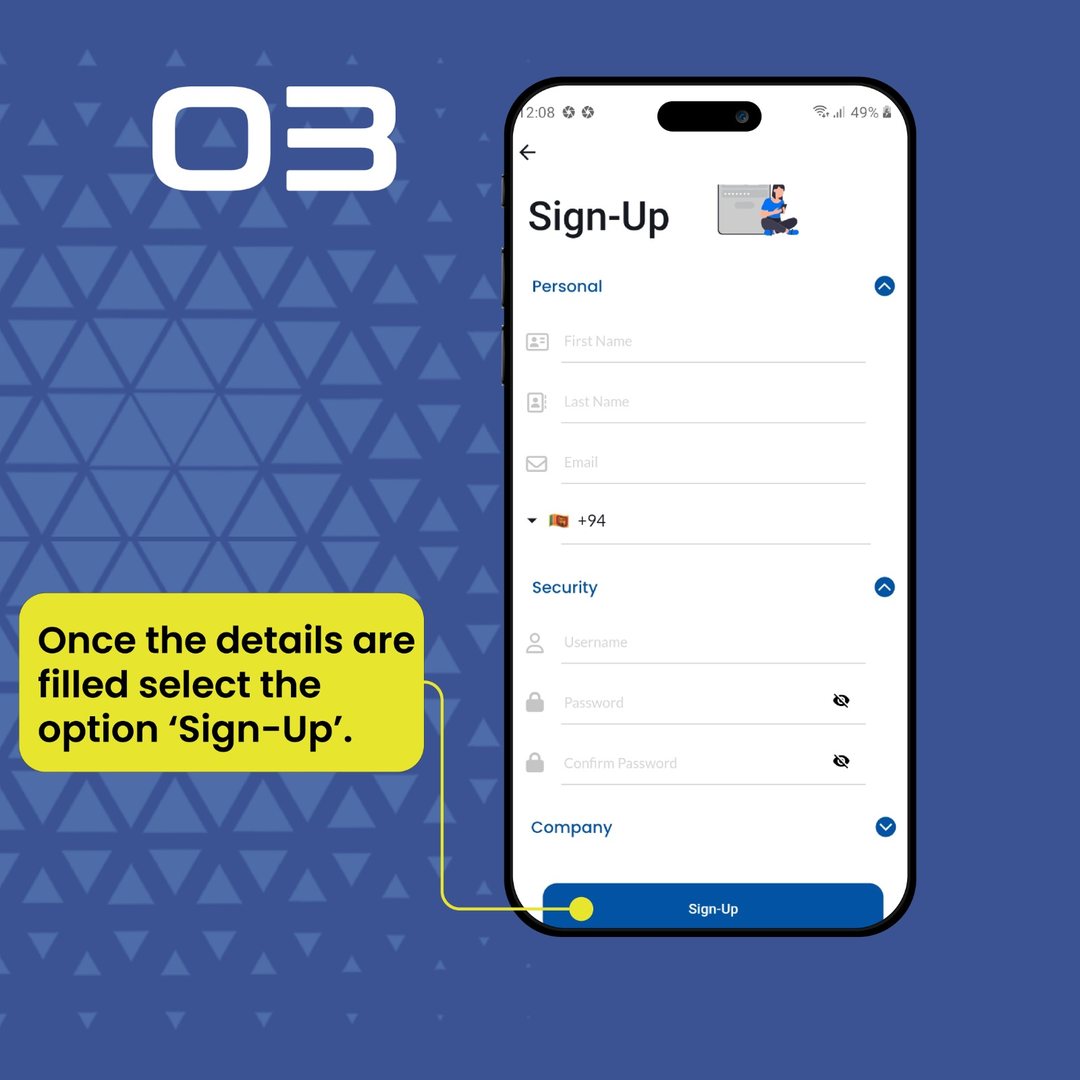
Charging runs on the ChargeNET network, so it happens in the chargeNET Plus app. Swipe through ChargeNET's official step-by-step guide, from installing the app to starting a charge. Tap any slide to enlarge.
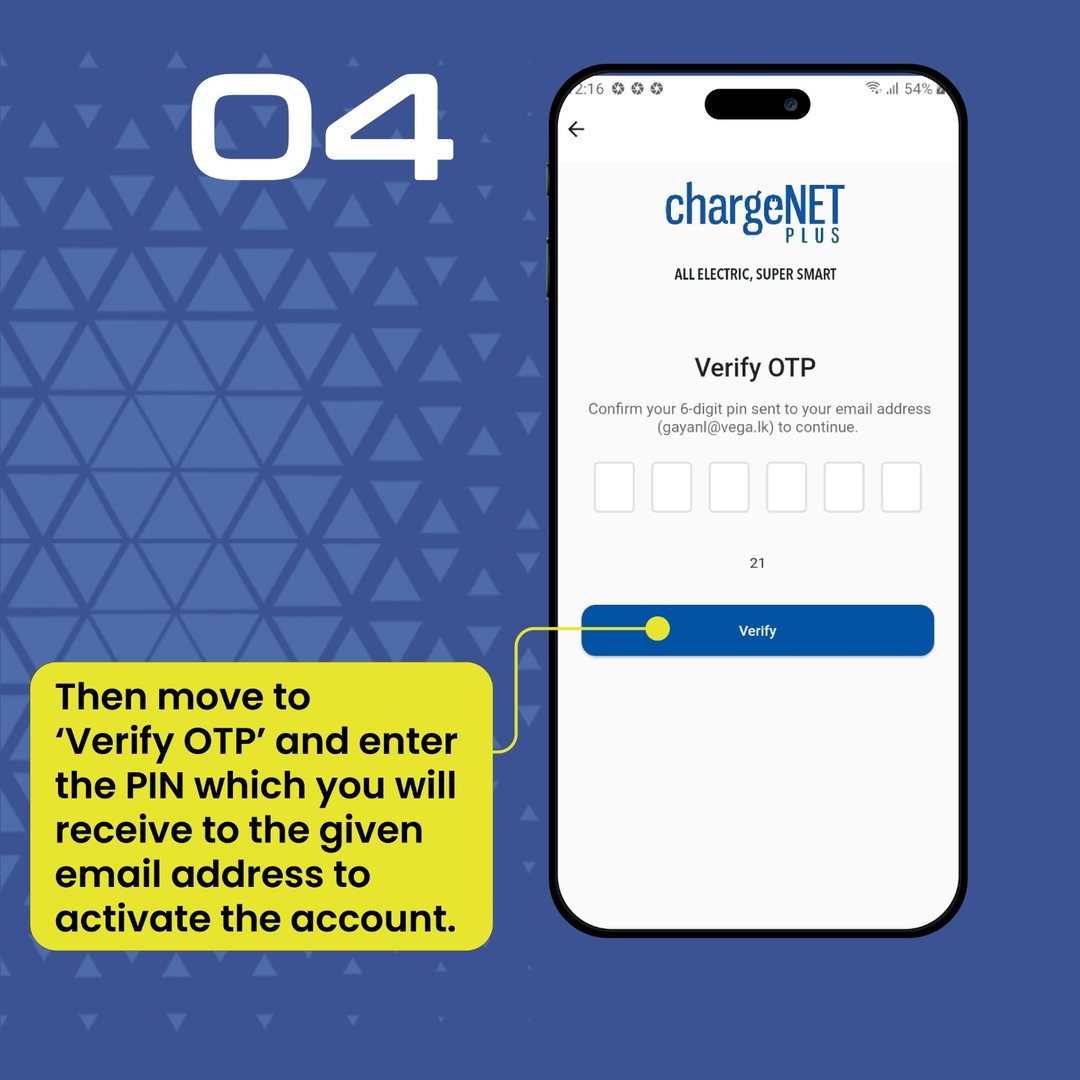
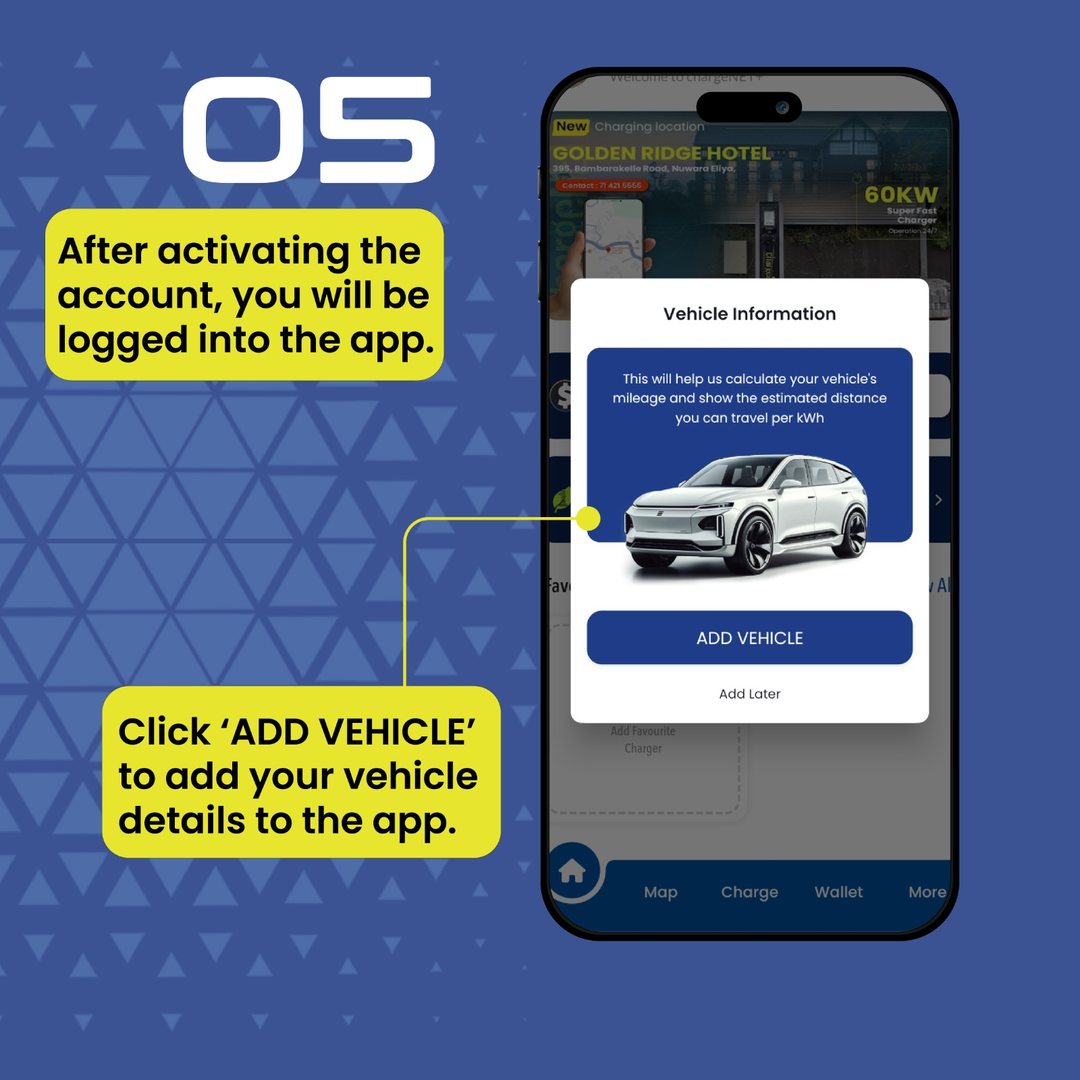
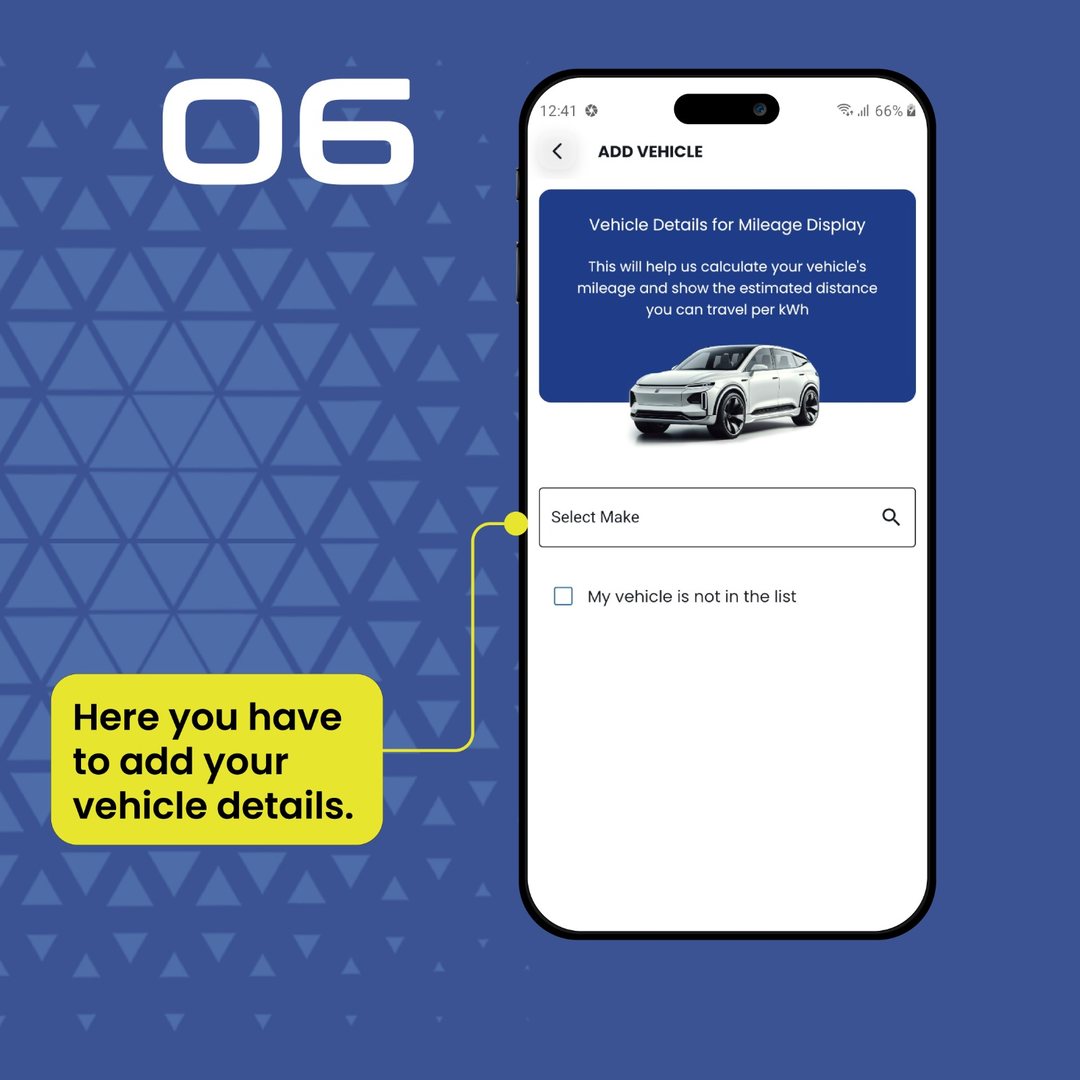
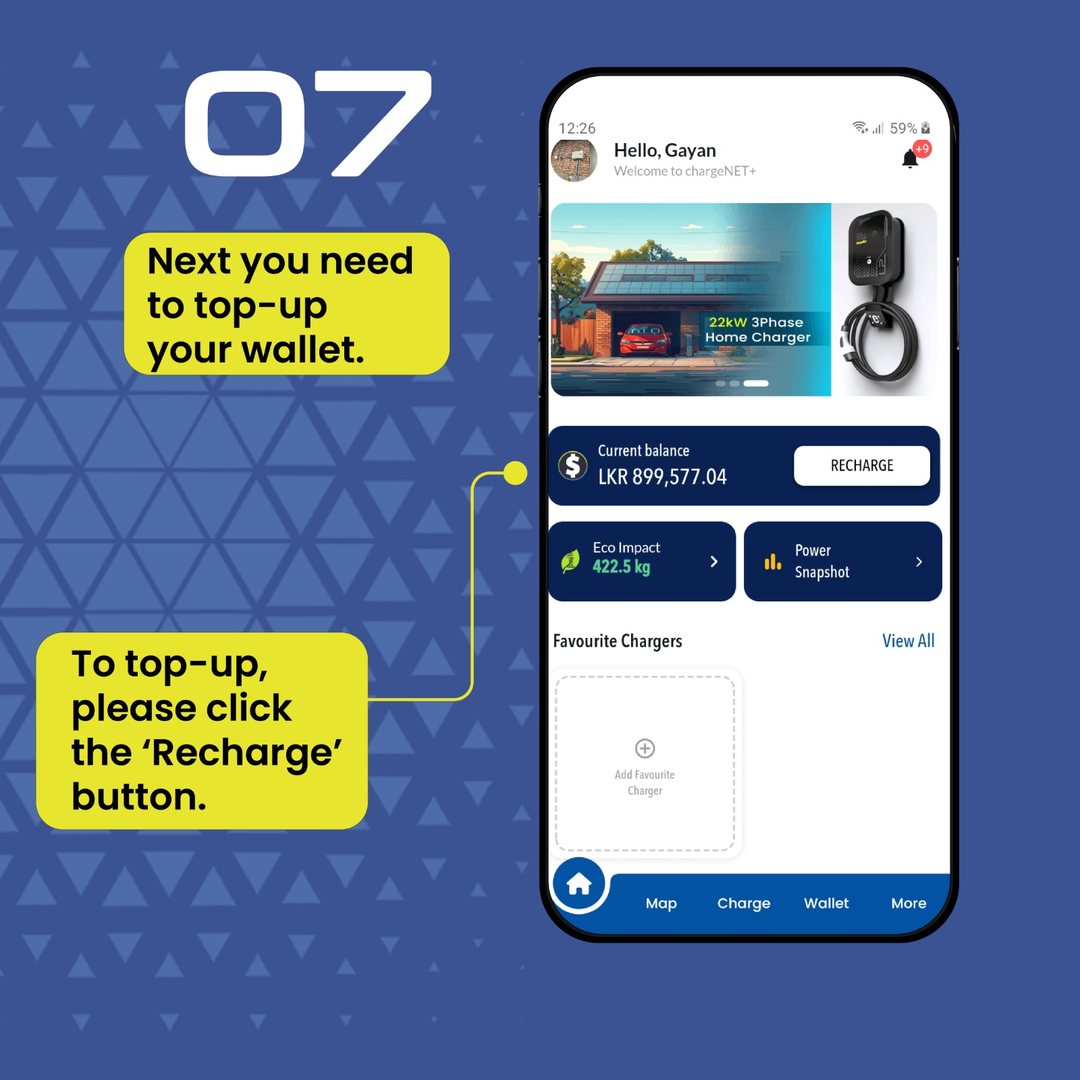
Charging at 416/6A, step by step
Arrive at 416/6A
Pull in at High Level Road, Makumbura. Look for the Perera & Sons sign at the Kottawa interchange.
Open the app & select the station
The chargeNET Plus app shows this station and whether the charger is free. You can reserve it too.
Check the connector
The app shows the connector this charger uses. Make sure it matches your car's charging port before you plug in.
Park & connect
Park at the bay and connect the charging cable firmly to your car.
Start the session
Start charging from the app (or with your ChargeNET smart card). You'll see it begin.
Watch it charge
Track the session live in the app. You get a notification and SMS when it's done. Wait at Perera & Sons in the meantime.
Stop & pay
Stop the session in the app when you're ready. The cost comes off your ChargeNET wallet automatically.
Unplug & go
Return the cable to the holder, and you're on your way.
Which plug do I need?
The chargeNET Plus app shows the exact connector available at this charger and whether it fits your vehicle. ChargeNET stations across the island commonly support the standard EV connectors (such as CCS2, CHAdeMO and Type 2). If you're not sure what your car uses, call the hotline and we'll help.
How payment works
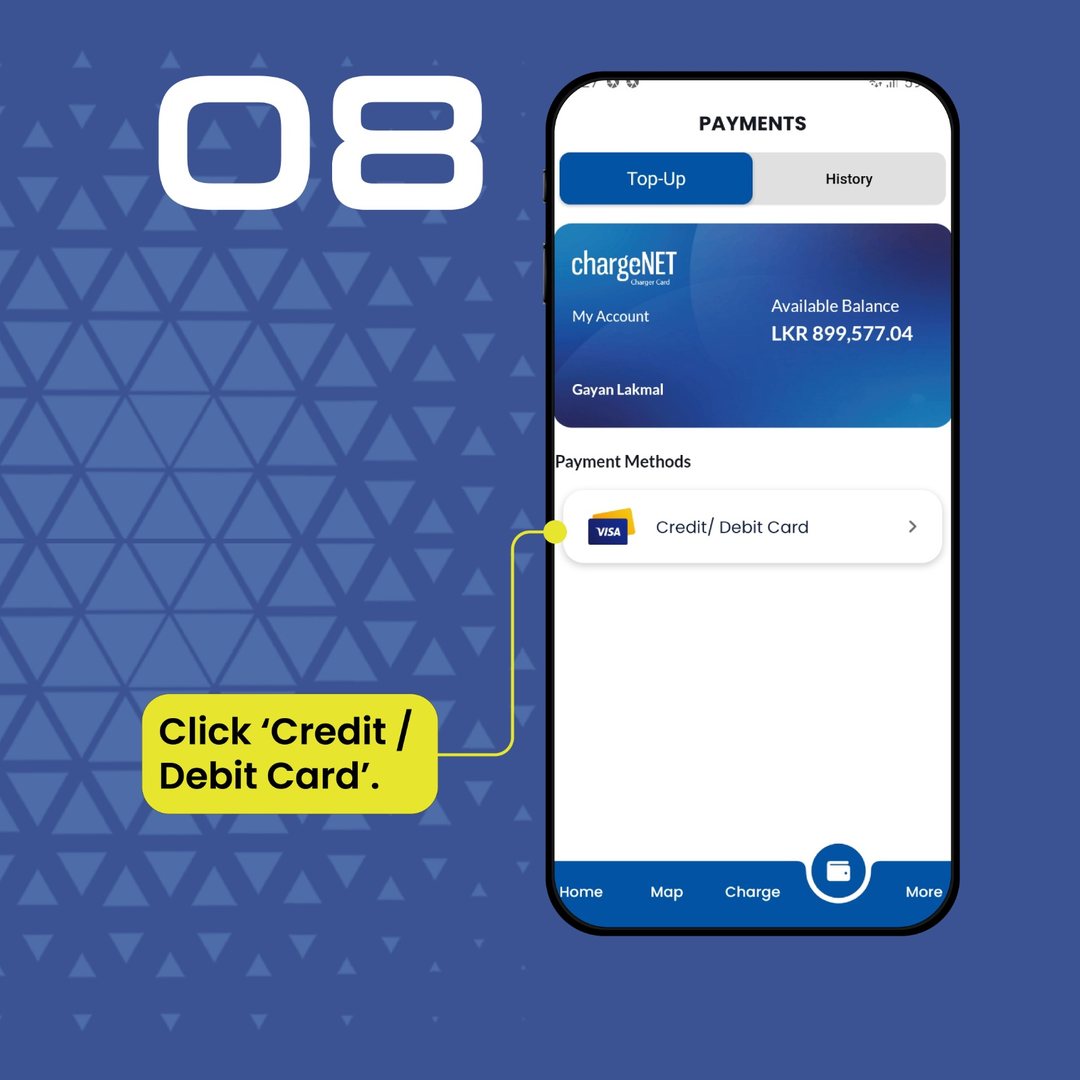
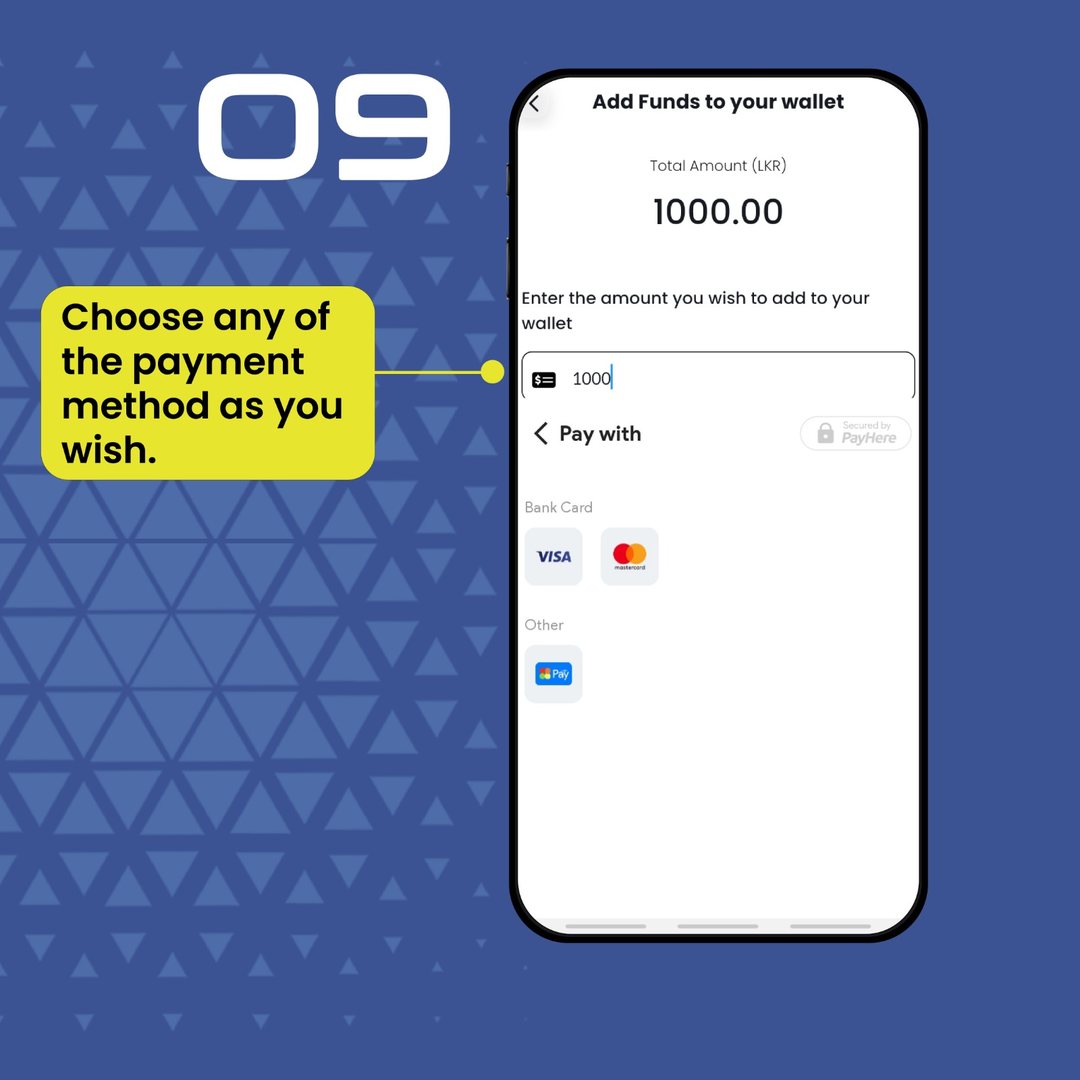
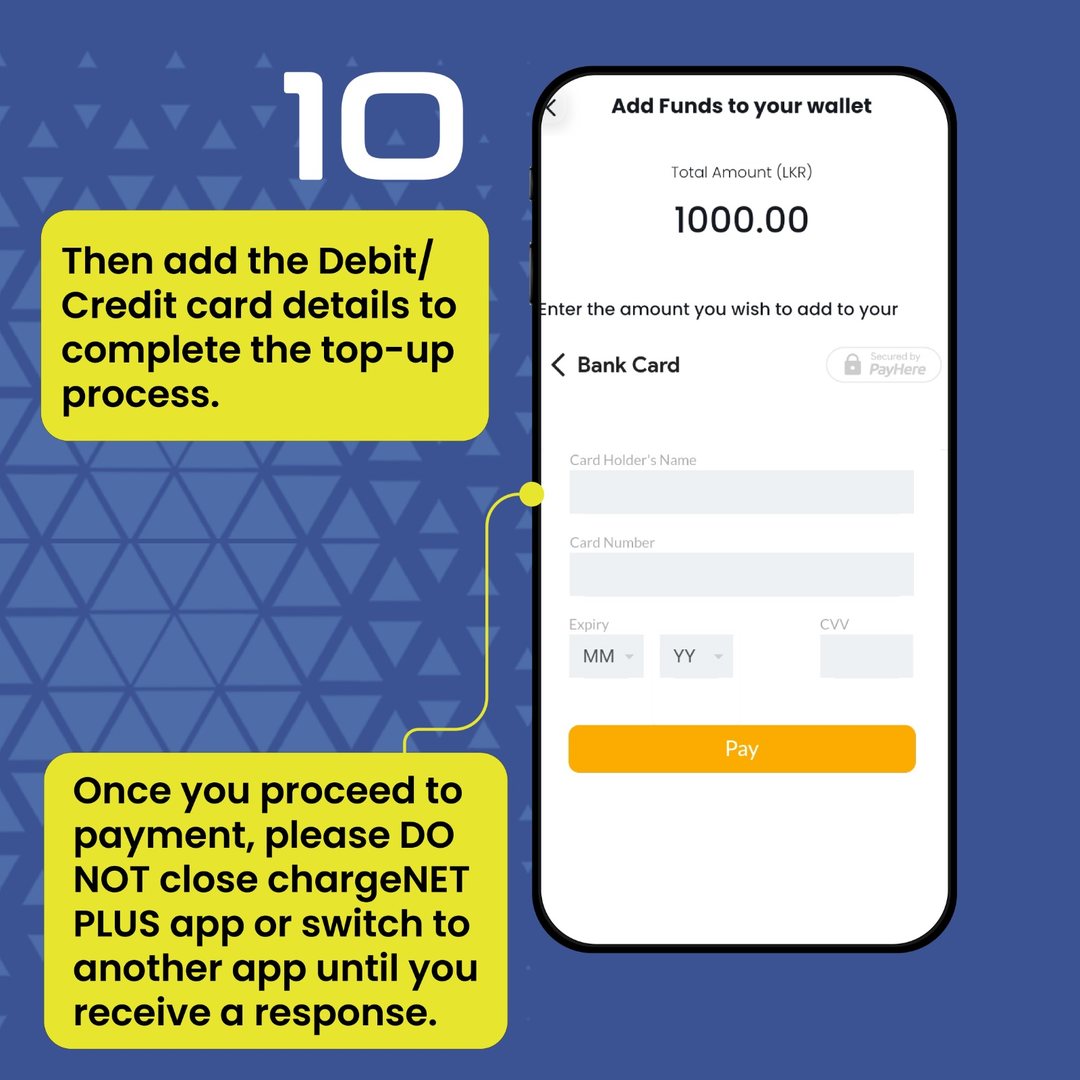
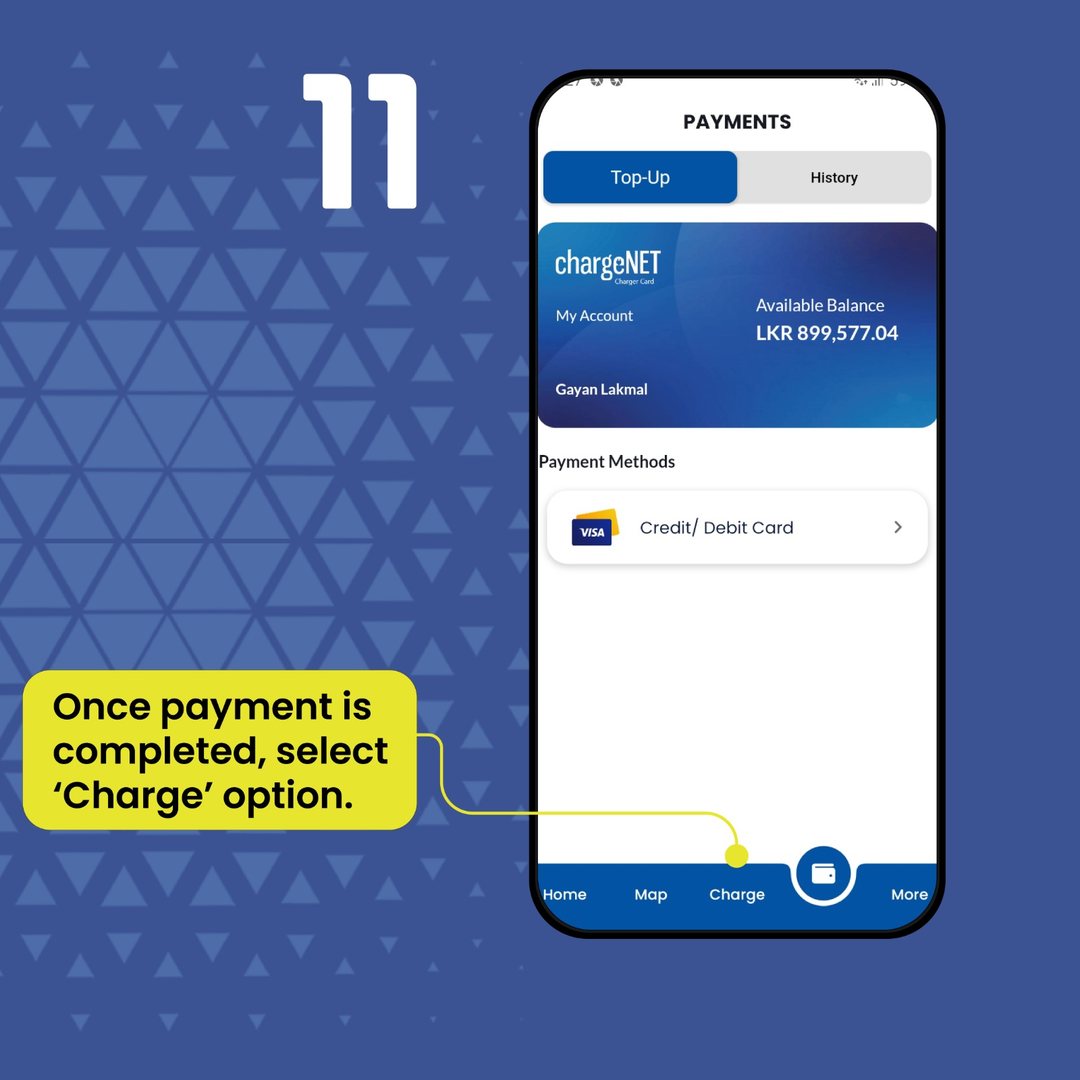
Charging is paid from your chargeNET Plus wallet, so there's no cash or card at the charger. Top up in the app or on the ChargeNET website using VISA, MasterCard, AMEX or Sampath Vishwa. The app shows the cost as you charge and deducts it when you stop.
- VISA
- MasterCard
- AMEX
- Sampath Vishwa
Charging takes a while. So sit down.
The charger is right at Perera & Sons Makumbura (same 416/6A address, rated 4.7★). Grab a coffee, a short eat, or run an errand while your car tops up, then check the app and drive off.